How to Transfer Vehicle Ownership Online in India: Complete Step-by-Step Guide
Learn how to transfer vehicle ownership in India, including the online VAHAN process, Forms 29 and 30, required documents, fees and important steps.
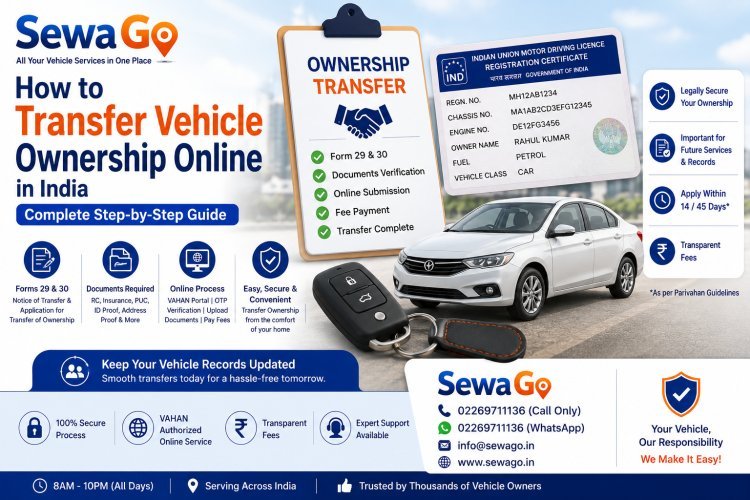
How to Transfer Vehicle Ownership Online in India: Complete Step-by-Step Guide
Buying or selling a used car or bike involves more than simply handing over the vehicle and its keys. The ownership details recorded on the vehicle's Registration Certificate (RC) should also be transferred to the new owner.
The Ministry of Road Transport and Highways provides vehicle-related services through the VAHAN system, including Transfer of Ownership.
This guide explains the vehicle ownership transfer process, important forms, documents, online steps and things buyers and sellers should keep in mind.
What Is Vehicle Ownership Transfer?
Vehicle ownership transfer is the official process of changing the registered owner's name in the vehicle records after a vehicle is sold or otherwise transferred.
For a normal sale, the purchaser's name is recorded as the registered owner instead of the previous owner.
This is important because the RC is an official record of who is registered as the vehicle owner.
Why Is RC Ownership Transfer Important?
Completing the ownership transfer helps ensure that the government vehicle records reflect the new owner.
It can help:
-
Keep the RC records updated
-
Establish the buyer as the registered owner
-
Keep vehicle-related records organised
-
Reduce future complications between buyer and seller
-
Make future vehicle services easier
-
Keep official records consistent with the actual ownership
A buyer should not rely only on a sale agreement or payment receipt. The official ownership record should also be updated.
Can Vehicle Ownership Be Transferred Online?
Yes. VAHAN provides an online Transfer of Ownership service for applicable vehicles. The online workflow can include entering vehicle details, OTP verification, providing transfer information, insurance details, uploading documents and paying applicable fees.
The exact availability and process can vary depending on the vehicle, state and current VAHAN configuration.
What Forms Are Required for Vehicle Ownership Transfer?
For a normal vehicle sale, the official Parivahan guidance identifies:
-
Form 29 — Notice of Transfer of Ownership
-
Form 30 — Application for Intimation and Transfer of Ownership
These forms are part of the standard ownership-transfer process.
What Is Form 29?
Form 29 is the notice of transfer of ownership of a motor vehicle.
It records information about the vehicle being sold and the transfer from the existing owner to the purchaser. The official form is prescribed under Rule 55(1).
What Is Form 30?
Form 30 is the application for intimation and transfer of ownership of a motor vehicle.
It is used as part of the ownership-transfer application by the purchaser/transferee. The official form is prescribed under Rule 55.
Documents Required for Vehicle Ownership Transfer
The exact document list can vary depending on the circumstances and applicable state requirements.
For a normal sale, the official Parivahan guidance lists documents and information that can include:
-
Form 29
-
Form 30
-
Registration Certificate
-
Insurance certificate
-
Pollution Under Control (PUC) certificate
-
PAN card or Form 60, where applicable
-
Chassis and engine pencil print, where applicable
-
Proof of date of birth
-
Proof of address
-
Purchaser's undertaking
-
Passport-size photograph
-
Tax clearance certificate, where applicable
Before applying, check the current requirements applicable to your vehicle and state.
How to Transfer Vehicle Ownership Online
The following is the general online process through VAHAN.
Step 1: Log In to VAHAN
Access the official VAHAN vehicle-services portal and log in.
Users may need to register before using certain services.
Step 2: Select Vehicle Related Services
After logging in, go to:
Online Services → Vehicle Related Services
The current VAHAN system lists Transfer of Ownership under vehicle-related services.
Step 3: Enter Vehicle Details
Enter the requested vehicle information.
The VAHAN transfer workflow can require:
-
Registration number
-
Chassis number
-
Other requested vehicle information
The system may use OTP verification before continuing.
Step 4: Complete OTP Verification
An OTP can be sent to the registered mobile number.
Enter the OTP and continue with the application.
Make sure the registered mobile number is accessible before starting the process.
Step 5: Select Transfer of Ownership
Select Transfer of Ownership from the available vehicle-related services.
Then submit the request to begin the ownership-transfer application.
Step 6: Enter Transfer Details
Provide the information requested by the VAHAN system regarding the transfer.
Check all buyer and seller information carefully before submitting.
Step 7: Enter Insurance Details
The VAHAN workflow includes a separate section for insurance details during the transfer process.
Enter the required insurance information accurately.
Step 8: Upload Required Documents
Use the document-upload facility to upload the documents requested for the application.
The VAHAN transfer workflow includes document uploading as part of the online process.
Make sure uploaded documents are clear and readable.
Step 9: Pay the Applicable Fee
Open the fee section and review the applicable charges.
The official Parivahan guidance states that the appropriate fee and tax are payable according to the applicable rules.
The exact amount can depend on the vehicle and applicable regulations.
Step 10: Complete the Application
After submitting the required information, documents and payment, follow the instructions shown by VAHAN.
Keep the application number and payment receipt for your records.
How Long Does Vehicle Ownership Transfer Take?
The processing time can vary depending on the state, vehicle record, document verification and other factors.
An online submission does not necessarily mean that the ownership record will be changed instantly.
If additional verification or an RTO-related step is required, processing may take longer.
What Is the Time Limit for Ownership Transfer?
For a normal sale, the official Parivahan guidance states that:
-
For a vehicle registered within the same state, the transferee should apply for transfer of ownership in Form 30 within 14 days of the transfer.
-
For a vehicle registered outside the state, the transferee should apply in Form 30 within 45 days of the transfer, along with the applicable additional documentation.
Because rules and processes can be updated, verify the current requirements applicable to your vehicle.
Who Should Start the Online Ownership Transfer?
The current VAHAN system provides instructions indicating that a Transfer of Ownership application is initiated by the seller using the TO option, after which the buyer continues the process.
Therefore, both parties should coordinate during the online transfer.
What Happens After the Seller Starts the Transfer?
Once the seller initiates the transfer process, the buyer may need to complete the subsequent steps using the relevant Transfer of Ownership option.
The exact screens and actions can vary as the VAHAN platform is updated.
Both buyer and seller should retain their transaction details and receipts.
Vehicle Ownership Transfer Between Different States
Transferring a vehicle between different states can involve additional requirements.
The official Parivahan guidance distinguishes between vehicles registered within the same state and vehicles registered outside the state for the ownership-transfer process.
Additional documentation, such as NOC-related documents, may be required depending on the circumstances.
If the vehicle is being moved permanently to another state, check the applicable registration and tax requirements as well.
What Is an NOC in Vehicle Transfer?
NOC stands for No Objection Certificate.
When a vehicle is being moved between states or regions, an NOC may be required depending on the circumstances.
VAHAN provides an online service for applying for an NOC for a vehicle to move to another state or region.
The requirement should be confirmed based on the vehicle's registration and intended location.
Transfer of Ownership After the Owner's Death
Ownership transfer is not limited to normal vehicle sales.
Parivahan also provides a process for transferring ownership after the death of a registered owner.
The official guidance states that the successor should apply in Form 31 within the specified period and provide the applicable supporting documents.
The documents can include the death certificate, RC, insurance and proof of succession, among others.
Transfer of Ownership for an Auction Vehicle
Vehicles purchased through a government public auction can have a separate ownership-transfer process.
The official Parivahan guidance identifies Form 32 for transfer of ownership of a vehicle purchased at a public auction conducted by or on behalf of the Central or State Government.
The purchaser should provide the required auction documentation and other applicable documents.
Does Insurance Need to Be Updated?
Insurance information is an important part of the vehicle-transfer process.
The VAHAN ownership-transfer workflow includes an insurance-details section.
The buyer should also ensure that the vehicle's insurance records are properly updated according to the insurer's process.
Do not assume that transferring the RC automatically completes every insurance-related requirement.
What About PUC During Ownership Transfer?
The official Parivahan document list for a normal sale includes the PUC certificate among the documents that may be required.
Before beginning the transfer, check whether the vehicle has a valid PUC and whether any additional requirement applies to your case.
What About Road Tax?
Vehicle tax can be relevant during ownership transfer, especially when the vehicle is moved between states.
The applicable tax depends on the vehicle and the relevant state rules.
The official Parivahan ownership-transfer guidance also states that the appropriate fee and tax are payable according to the applicable rules.
What If the Vehicle Has Pending Issues?
Before buying a used vehicle, it is sensible to check the vehicle's records and documentation.
Depending on the circumstances, issues may include:
-
Pending tax
-
Insurance problems
-
Invalid PUC
-
Hypothecation
-
Pending applications
-
Other registration-related issues
Resolving such issues before completing the transaction can make the transfer process smoother.
What Is Hypothecation and Why Does It Matter?
Hypothecation indicates that a vehicle may be financed and linked to a financier.
If the vehicle has an active loan or hypothecation entry, additional steps may be required before or during ownership-related transactions.
VAHAN provides separate services for hypothecation addition, continuation and termination.
Check the vehicle's records and financing status before completing a purchase.
Common Mistakes During Vehicle Ownership Transfer
Entering Incorrect Vehicle Details
Double-check the registration and chassis information before submission.
Uploading Unclear Documents
Make sure all uploaded documents are readable.
Ignoring the Registered Mobile Number
OTP verification may depend on the mobile number associated with the vehicle records.
Delaying the Transfer
Do not unnecessarily postpone the ownership-transfer process after purchasing a vehicle.
Not Checking Tax or Other Requirements
Especially for inter-state transfers, verify the applicable tax and documentation requirements before moving forward.
Assuming RC Transfer Updates Everything
Ownership transfer, insurance updates, address changes and other services can have separate procedures.
Buyer Checklist Before Purchasing a Used Vehicle
Before purchasing a used vehicle, consider checking:
-
Original RC details
-
Vehicle registration number
-
Chassis number
-
Engine number
-
Insurance status
-
PUC status
-
Tax status
-
Hypothecation status
-
Pending vehicle transactions
-
Seller's identity and documents
-
Applicable NOC requirements
Keeping these records organised can reduce problems during the transfer process.
Seller Checklist
The seller should:
-
Provide accurate vehicle information
-
Complete the required transfer documentation
-
Cooperate with the online ownership-transfer process
-
Provide required documents
-
Keep proof of the transaction
-
Retain the application or acknowledgement details
The seller should not assume that handing over the vehicle automatically completes the legal transfer.
How SewaGo Can Help With Vehicle Ownership Transfer
Vehicle ownership transfer involves several details, documents and steps.
SewaGo provides vehicle-related services to help vehicle owners explore and manage their vehicle documentation requirements.
If you need assistance with an RC Ownership Transfer, SewaGo can help you understand the service process and the information generally required before proceeding.
For official verification, fees, eligibility and the latest process, always follow the current instructions provided by the relevant transport authority and VAHAN.
Frequently Asked Questions
What is vehicle ownership transfer?
It is the official process of changing the registered owner's name in the vehicle records after a vehicle is sold or otherwise transferred.
Can I transfer vehicle ownership online?
Yes. VAHAN provides an online Transfer of Ownership service for applicable vehicles.
Which forms are required for a normal vehicle sale?
Form 29 and Form 30 are the primary forms identified by Parivahan for a normal sale.
How long do I have to apply for ownership transfer?
For a same-state vehicle, the official guidance states that the transferee should apply in Form 30 within 14 days. For an out-of-state registered vehicle, the stated period is 45 days.
Can the seller start the online transfer?
Yes. Current VAHAN instructions state that the seller initiates the Transfer of Ownership application, after which the buyer continues the process.
Is insurance required during ownership transfer?
Insurance information is part of the VAHAN transfer workflow, and the official document guidance also lists the insurance certificate among documents for a normal sale.
Can ownership be transferred after the owner's death?
Yes. There is a separate process using Form 31 for transfer to the legal successor, subject to the applicable requirements.
Can ownership be transferred for an auction vehicle?
Yes. Vehicles purchased through qualifying government public auctions have a separate process using Form 32.
Is an NOC required for every ownership transfer?
No. NOC requirements depend on the circumstances, particularly when a vehicle is being moved between states or regions.
Does changing the RC owner automatically update insurance?
Not necessarily. Insurance-related updates can have their own process, so the buyer should confirm the insurance record with the insurer.
How much does vehicle ownership transfer cost?
The applicable fee and tax depend on the vehicle and applicable rules. Parivahan states that the appropriate fee and tax are payable under Rule 81 of the Central Motor Vehicle Rules, 1989.
Final Thoughts
Transferring vehicle ownership is an important step when buying or selling a used vehicle.
The process involves updating the official RC records and completing the applicable forms, documentation, verification and fees.
For a normal sale, Form 29 and Form 30 are central to the process, while VAHAN provides an online Transfer of Ownership service for applicable vehicles.
Before completing a purchase, check the vehicle's documents, insurance, PUC, tax and hypothecation status. After the sale, make sure the ownership-transfer process is completed and keep the acknowledgement or transaction details safely.
For the latest requirements, fees and eligibility, always verify the information with the official Parivahan/VAHAN system or the relevant transport authority.
What's Your Reaction?