How to Pay PUC Fine Online After Your Pollution Certificate Expires
Learn how to pay an applicable PUC fine online after your pollution certificate expires and how to proceed with PUC renewal once the required payment is completed.
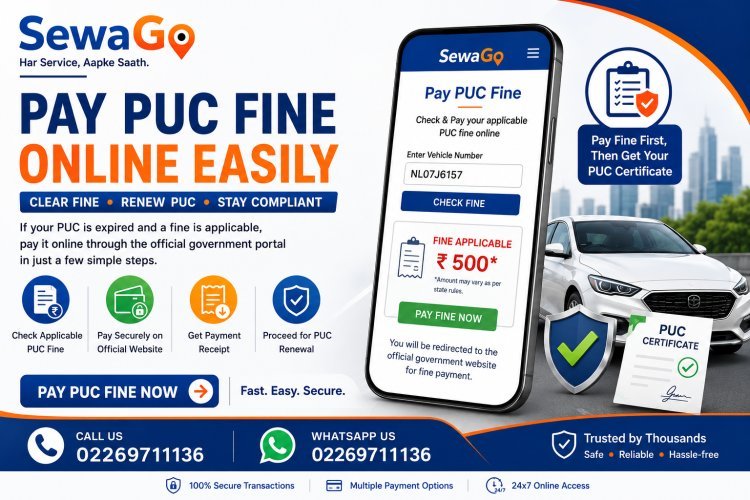
How to Pay PUC Fine Online After Your Pollution Certificate Expires
Has your vehicle's Pollution Under Control (PUC) certificate expired and are you seeing a fine that needs to be paid before you can proceed with the PUC process?
Don't worry. SewaGo makes it easier to access the Pay Fine option and proceed to the applicable official payment facility.
The official Parivahan PUC system provides an Online Fine Payment facility where vehicle registration details can be used to check applicable fine information.
This guide explains what a PUC-related fine is, why it may appear, how to pay it through the SewaGo Pay Fine option, and what you should do after completing the payment.
What Is a PUC Fine?
A PUC fine is a penalty that may become applicable when a vehicle does not have the required valid Pollution Under Control certificate or when a vehicle falls under an applicable pollution-related enforcement requirement.
The exact rules, timing and amount can depend on the applicable state or authority.
Therefore, you should always check the actual fine displayed for your vehicle instead of assuming that the same amount applies everywhere.
What Happens When Your PUC Expires?
A PUC certificate has a specific validity period.
Once that validity period ends, the vehicle may no longer have a valid PUC certificate.
Depending on the applicable state rules and the vehicle's circumstances, a fine may become payable.
This is why vehicle owners should check their PUC validity regularly and renew it before it expires whenever possible.
Why Do I Need to Pay a PUC Fine?
If an applicable PUC fine is showing against your vehicle, you may need to clear that payment before completing the next step of the PUC process.
The official PUC system provides an online facility to check fine details using the vehicle registration number.
In other words:
Expired PUC → Applicable fine → Pay the fine → Complete the applicable PUC process
The exact process can vary depending on the state and the status of the vehicle.
Pay Your PUC Fine Through SewaGo
SewaGo provides a dedicated Pay Fine option for users who need to access the applicable PUC fine-payment facility.
When you select the Pay Fine option on SewaGo, you are redirected to the relevant official payment website where you can complete the applicable payment.
SewaGo makes it easier to find the payment option without having to search for the correct government service yourself.
Pay Your PUC Fine
[Pay PUC Fine Online]
Click the Pay Fine button on SewaGo to start.
How to Pay PUC Fine Online Through SewaGo
Step 1: Visit SewaGo
Open the SewaGo website and select the Pay Fine service.
The service is intended for vehicle owners who need to access the applicable PUC fine-payment facility.
Step 2: Select Pay Fine
Click the Pay Fine button.
SewaGo will direct you to the relevant official payment website.
Step 3: Enter Your Vehicle Details
On the official payment page, enter the vehicle information requested by the system.
The official Parivahan PUC fine-payment facility currently provides a field for the vehicle registration number and an option to check fine details.
Enter your registration number carefully.
Step 4: Check the Fine Details
After entering the requested information, review the fine details displayed for your vehicle.
Check that the registration number and other information correspond to your vehicle before proceeding.
Step 5: Pay the Applicable Fine
If a fine is shown, follow the official website's instructions to complete the payment.
The amount displayed by the official system should be treated as the applicable amount for that transaction.
Do not assume that a fixed amount applies to every vehicle or every state.
Step 6: Save Your Payment Confirmation
After completing the payment, keep the payment confirmation or receipt safely.
The official PUC system also provides a Download Fine Receipts facility, which requires vehicle registration information and the last five characters of the chassis number.
Keeping your receipt can be useful if you need to verify the payment later.
What Should I Do After Paying the PUC Fine?
Once the applicable fine has been successfully paid, check the status of your vehicle and proceed with the PUC process according to the applicable requirements.
Payment of a fine does not itself mean that a PUC certificate has been issued.
The vehicle may still need to complete the applicable pollution-testing and certification process.
A PUC certificate records information such as the registration number, PUC certificate number, validity and emission-test results.
Is the PUC Fine the Same as a Traffic Challan?
No.
This is an important distinction.
Our Pay Challan service is intended for traffic challan payments.
The Pay Fine option discussed in this article is specifically related to accessing the applicable PUC/pollution fine-payment facility.
For example:
Traffic violation → Traffic Challan → Pay Challan
Whereas:
PUC-related requirement → Applicable PUC Fine → Pay Fine
Keeping these two services separate helps you choose the correct option on SewaGo.
Is the PUC Fine the Same in Every State?
Not necessarily.
PUC-related requirements and enforcement can vary depending on the applicable state and authority.
The official PUC platform itself provides state-specific functionality and lists multiple states and Union Territories in its system.
Therefore, do not assume that a particular fine amount or grace period applies across all of India.
Always check the actual amount displayed for your vehicle through the applicable official system.
Is There Always a Grace Period After PUC Expiry?
You should not assume that every vehicle receives the same grace period.
The applicable rules can depend on the state, vehicle and current regulations.
If your PUC is approaching its expiry date, the safest approach is to renew it before expiry rather than relying on a grace period.
Can I Pay the PUC Fine Before Getting a New PUC?
Where an applicable fine is shown and the system requires it to be cleared, you can use the official fine-payment facility to complete the payment.
After payment, follow the applicable process for obtaining or renewing the PUC certificate.
The fine payment and PUC certification are separate steps.
Does Paying the Fine Automatically Give Me a PUC Certificate?
No.
Paying a fine does not automatically mean that your vehicle has received a new PUC certificate.
The vehicle may still need to undergo the required emission testing and satisfy the applicable requirements.
The official PUC certificate records the vehicle's emission-test information and validity.
What If No Fine Is Showing?
If the official system does not display a fine for your vehicle, do not make a payment unnecessarily.
Check that:
-
Your registration number is correct
-
The required information has been entered correctly
-
You are using the correct official service
-
The vehicle's PUC information is current
If you believe a fine should be present but it is not appearing, follow the applicable official support or transport-authority process.
What If I Paid the Fine but the Status Has Not Updated?
If money has been deducted but the fine status has not yet updated, keep your payment reference and receipt.
Avoid making a second payment immediately.
First verify the transaction status through the applicable official payment system.
The official PUC system provides a facility to download fine receipts, which can help you retain proof of payment.
What Information Do I Need?
The information requested can depend on the official payment system.
The current Parivahan Online Fine Payment page asks for the vehicle registration number and security code to check fine details.
Keep your vehicle registration information available before starting.
Why Use SewaGo to Access the Pay Fine Service?
Finding the correct government vehicle-service page can sometimes be confusing.
SewaGo brings vehicle-related services together in one place.
With the Pay Fine option, you can:
-
Quickly find the relevant service
-
Access the official payment facility
-
Start the fine-payment process online
-
Avoid searching through multiple government pages
-
Complete the applicable payment directly on the official payment website
SewaGo acts as a convenient access point to the relevant service; the actual fine payment is completed through the official payment system to which the Pay Fine button directs you.
Pay Your PUC Fine Online
If your vehicle has an applicable PUC fine, don't leave it unresolved.
Open SewaGo, select Pay Fine, and follow the link to the official payment facility.
Check your vehicle details, review the applicable fine and complete the payment if required.
Ready to Pay Your PUC Fine?
[Pay Fine Online with SewaGo]
Important Things to Remember
Before paying a PUC-related fine:
-
Check your vehicle registration number carefully
-
Review the fine details before payment
-
Pay only the amount displayed by the applicable official system
-
Do not assume the same fine applies in every state
-
Save your payment receipt
-
Do not share OTPs, passwords or banking credentials
-
Remember that paying a fine does not automatically issue a PUC certificate
-
Complete the required PUC testing/certification process afterward
Frequently Asked Questions
What is a PUC fine?
It is an applicable penalty associated with a vehicle's pollution/PUC compliance requirements. The circumstances and amount can vary according to applicable rules.
How can I pay a PUC fine online?
You can use SewaGo's Pay Fine option to access the relevant official payment website and complete the applicable payment.
Does SewaGo collect the PUC fine?
The Pay Fine button on SewaGo redirects users to the relevant official payment website. The applicable fine payment is completed through that official system.
Is the PUC fine the same as a traffic challan?
No. A traffic challan and a PUC-related fine are different types of vehicle-related obligations. SewaGo provides separate Pay Challan and Pay Fine options.
Is the PUC fine ₹500?
Not necessarily. The applicable amount can depend on the relevant state, authority and circumstances. Always check the amount displayed by the applicable official system.
Will paying the fine automatically renew my PUC?
No. Fine payment and PUC certification are separate steps. Your vehicle may still need to complete the required PUC testing and certification process.
Can I get a receipt after paying the fine?
The official PUC system provides a facility for downloading fine receipts.
What should I do if my PUC has expired?
Check your vehicle's current PUC status and any applicable fine. If a fine is displayed, complete the required payment and then follow the applicable PUC renewal/certification process.
Can I pay a PUC fine from my phone?
Yes, if the official payment facility is accessible through your mobile browser, you can use your smartphone to complete the applicable process.
Keep Your Vehicle PUC Up to Date
A valid PUC certificate is an important part of maintaining your vehicle's required documentation.
Instead of waiting until your certificate expires, check the validity regularly and renew it on time.
If an applicable fine appears after expiry, SewaGo's Pay Fine option provides a convenient way to access the official payment facility.
Need to clear your PUC fine? Use SewaGo's Pay Fine service to get started.
Final Thoughts
An expired PUC can lead to additional compliance requirements, including an applicable fine in situations governed by the relevant rules.
SewaGo makes the process easier by providing a dedicated Pay Fine option that directs users to the relevant official payment website.
Once there, you can check the applicable fine details, complete the payment and keep your receipt. After the payment is cleared, follow the required PUC testing and certification process.
Remember that fine amounts, grace periods and requirements can vary. Always rely on the amount and instructions shown by the applicable official system for your vehicle.
Pay your applicable PUC fine through the official payment facility using SewaGo's Pay Fine option.
What's Your Reaction?