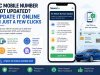
RC Mobile Number Not Updated? Update It Online in Just a Few Clicks
Is your old or incorrect mobile number linked to your vehicle RC? Learn how to update your RC mobile number online in just a few simple steps with SewaGo.
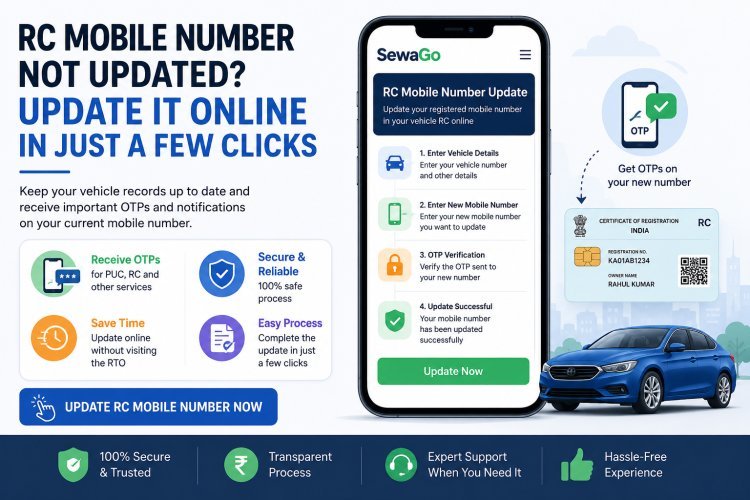
RC Mobile Number Not Updated? Update It Online in Just a Few Clicks
Is your old mobile number still linked to your vehicle RC?
Have you changed your phone number, bought a second-hand vehicle, or stopped receiving important OTPs and vehicle-related messages on your current number?
Keeping the mobile number associated with your vehicle registration updated can make online vehicle services much easier to access.
The official VAHAN system provides an online facility for registered vehicle owners to update their mobile number without visiting an RTO.
With SewaGo's RC Mobile Number Update service, you can access the process online in just a few simple steps.
Why Should You Update the Mobile Number on Your RC?
Your registered mobile number can be important when using different online vehicle services.
If the number linked to your RC is old, incorrect or belongs to a previous owner, you may face problems when a service requires OTP verification.
An outdated mobile number can become particularly inconvenient if:
-
You have changed your phone number
-
You purchased a used vehicle
-
The previous owner's mobile number is still associated with the vehicle
-
You are not receiving vehicle-related OTPs
-
You need to use an online VAHAN service
-
You want your vehicle records to contain your current contact information
The Government's vehicle-service system itself encourages registered vehicle owners to keep their mobile numbers updated and provides an online facility for doing so.
Changed Your Mobile Number? Update Your RC Online
You don't need to keep using an old mobile number simply because it is associated with your vehicle records.
SewaGo is introducing a dedicated RC Mobile Number Update service to make the process easier to access.
Instead of searching through different vehicle-service pages, you can use SewaGo's dedicated service and follow the required online process.
Update Your RC Mobile Number With SewaGo
[Update RC Mobile Number Now]
How SewaGo's RC Mobile Number Update Service Works
SewaGo is designed to make the process simple and convenient.
The general flow is:
Open SewaGo → Select RC Mobile Number Update → Enter the required vehicle details → Enter your new mobile number → Complete verification → Submit
The exact information and verification requirements may depend on the applicable official system.
Step 1: Open SewaGo
Visit the SewaGo website and select RC Mobile Number Update.
The service is designed for vehicle owners who need to update the mobile number associated with their vehicle registration.
Step 2: Enter Your Vehicle Details
Enter the vehicle information requested by the service.
Make sure your vehicle registration details are entered correctly.
Incorrect information can prevent the system from identifying the correct vehicle record.
Step 3: Enter Your New Mobile Number
Enter the mobile number you currently use and want associated with your vehicle record.
Before continuing, check the number carefully.
A simple typing mistake could prevent you from receiving the required OTP.
Step 4: Complete OTP Verification
Depending on the applicable process, an OTP may be sent to the new mobile number for verification.
The official VAHAN instructions for mobile-number updating describe entering the new mobile number, generating an OTP, receiving the OTP on the new number and submitting the verification.
Never share your OTP with another person.
Step 5: Submit the Update
After completing the required verification, submit the request.
Once the update is successfully processed, your mobile number can be reflected against the applicable vehicle record.
The official VAHAN instructions state that after successful submission, the mobile number is updated and a success message is displayed.
What If My Old Mobile Number Is Still Linked to the RC?
This is one of the most common reasons vehicle owners look for a mobile-number update service.
For example, you may have purchased a used vehicle and discovered that the previous owner's mobile number is still associated with the vehicle record.
In another situation, you may have changed your personal mobile number several years ago but never updated your vehicle records.
Instead of continuing to use outdated information, you can start the mobile-number update process.
What If I Am Not Receiving OTPs?
If you are trying to access a vehicle service and the OTP is being sent to an old number, first check whether your current mobile number is correctly associated with the vehicle record.
If the registered number is outdated, you may need to update it before using services that require mobile verification.
The official VAHAN system provides an online mobile-number update facility specifically for registered vehicle owners.
Can I Update the RC Mobile Number Online?
Yes.
The official VAHAN system provides an online facility for registered vehicle owners to update their mobile number without visiting an RTO.
SewaGo provides a convenient access point to the RC Mobile Number Update service so users can start the process more easily.
Do I Need to Visit the RTO?
For the online mobile-number update facility, the official government information states that vehicle owners can update their mobile number online without visiting an RTO.
However, requirements can vary depending on the vehicle record and the applicable service.
If the online system indicates that additional verification or an RTO visit is required, follow the instructions provided by the applicable authority.
Why Use SewaGo for RC Mobile Number Update?
Finding the correct vehicle-service option can sometimes be confusing, especially when you are not familiar with the VAHAN system.
SewaGo brings vehicle-related services together in one place.
With the RC Mobile Number Update service, you can:
-
Access the service online
-
Start the update process conveniently
-
Enter your current mobile number
-
Complete the required verification
-
Avoid unnecessary searching through multiple service pages
-
Manage the process from your phone or computer
Update Your Number in Just a Few Clicks
[Update RC Mobile Number with SewaGo]
When Should You Update Your RC Mobile Number?
You should consider updating your vehicle records when:
You Change Your Phone Number
If your old number is no longer active, update your vehicle records with your current number.
You Buy a Used Vehicle
After purchasing a second-hand vehicle, check whether the correct contact information is associated with the vehicle record.
You Are Not Receiving OTPs
If OTPs for applicable vehicle services are being sent to an old number, check your registered mobile number.
Your RC Has Incorrect Contact Information
If the mobile number associated with your vehicle record is incorrect, update it rather than continuing to use outdated information.
What Information May Be Required?
The information required can depend on the applicable vehicle-service process.
The official VAHAN system's current mobile-number update flow includes vehicle-related identification and OTP verification. Some VAHAN service screens can also require vehicle registration and chassis details.
Keep your vehicle documents and registration details available before starting.
Is RC Mobile Number Update the Same as Changing the Mobile Number on a Driving Licence?
No.
Vehicle registration records and driving-licence records are separate systems.
Updating the mobile number associated with your vehicle RC does not necessarily update the mobile number associated with your driving licence.
The Government has separate online facilities for vehicle owners and driving-licence holders.
Does Updating the Mobile Number Change the Vehicle Owner's Name?
No.
A mobile-number update is a contact-information update.
It does not by itself transfer vehicle ownership or change the registered owner's name.
If you need to transfer ownership after buying or selling a vehicle, that is a separate vehicle-registration service. VAHAN lists Transfer of Ownership separately from mobile-number updating.
Does Updating the Mobile Number Change My RC?
The purpose of this service is to update the mobile-number information associated with the vehicle record.
It does not mean that the ownership details, registration number or other vehicle particulars are automatically changed.
What If I Bought a Used Vehicle?
If you recently purchased a used vehicle, it is a good idea to check the vehicle records and make sure the contact information is appropriate.
Remember that mobile-number updating and ownership transfer are separate processes.
If the vehicle has not yet been transferred into your name, you may need to complete the ownership-transfer process separately.
What If the Update Fails?
If the update does not complete successfully:
-
Check that the vehicle information is correct.
-
Check that the new mobile number has been entered correctly.
-
Make sure the OTP is entered within the required time.
-
Check your network connection.
-
Follow any error message displayed by the applicable system.
-
If the official system requires additional action, follow its instructions.
Do not repeatedly submit the same request if a previous transaction is still processing.
What If I Entered the Wrong Mobile Number?
If you entered an incorrect number before completing the verification process, carefully check the information and correct it before submitting.
If the request has already been successfully processed with an incorrect number, you may need to start the update process again.
Is RC Mobile Number Update Safe?
Use only trusted websites and official payment or verification pages.
When using an online vehicle service:
-
Check the website before entering personal information
-
Verify your vehicle details
-
Never share your OTP
-
Never share banking passwords or PINs
-
Review information before submitting
-
Keep transaction details if a payment is involved
SewaGo provides access to vehicle-related services, while government systems remain responsible for maintaining the relevant official vehicle records.
Frequently Asked Questions
How can I update my mobile number in my vehicle RC?
You can use SewaGo's RC Mobile Number Update service to start the online process. Enter the required vehicle information and your new mobile number, then complete the required verification.
Can I update my RC mobile number online?
Yes. The official VAHAN system provides an online facility for registered vehicle owners to update their mobile number without visiting an RTO.
How long does it take to update the mobile number?
The time can depend on the applicable system and verification process. After successful submission, the official VAHAN instructions indicate that a success message is displayed.
Can I update the mobile number if I bought a second-hand vehicle?
You may be able to update the mobile number associated with the vehicle record through the applicable online process. However, mobile-number updating and ownership transfer are separate services.
What if my old number is not active?
If your current vehicle record contains an outdated number, use the applicable mobile-number update facility and follow the verification requirements shown by the system.
Why am I not receiving OTPs for vehicle services?
One possible reason is that an old or incorrect mobile number is associated with your vehicle record. Check your registered mobile number and update it if necessary.
Will updating my mobile number change my vehicle ownership?
No. Mobile-number updating does not itself transfer ownership. Ownership transfer is a separate VAHAN service.
Can I update the mobile number from my phone?
Yes. The online facility can be accessed through an internet-connected device, subject to the requirements of the applicable service.
Do I need to visit the RTO?
The official VAHAN information states that an online mobile-number update facility is available without visiting an RTO. However, if the system specifically requires additional verification or an RTO visit for your case, follow those instructions.
Can SewaGo guarantee that the mobile number will be updated immediately?
SewaGo can simplify access to the service, but the actual update of the vehicle record is subject to the applicable government system and verification process.
Update Your RC Mobile Number With SewaGo
An outdated mobile number can make online vehicle services unnecessarily difficult.
Whether you changed your number, purchased a used vehicle, or are simply not receiving OTPs for applicable vehicle services, keeping your RC contact information current is a useful step.
SewaGo's RC Mobile Number Update service makes it easier to access the process online in just a few simple steps.
Ready to Update Your Number?
[Update RC Mobile Number Now]
Keep your vehicle records up to date and use your current mobile number for applicable online vehicle services.
Final Thoughts
Your mobile number is an important part of keeping your vehicle records current.
If your RC is associated with an old, incorrect or previous owner's number, updating it can make applicable online vehicle services more convenient.
The official VAHAN system provides an online facility for mobile-number updates, and SewaGo makes it easier for users to access this service from one place.
Need to update your RC mobile number? Use SewaGo's RC Mobile Number Update service and get started online.
What's Your Reaction?