Pay Traffic Challan Online Instantly with SewaGo
Pay your traffic challan online instantly with SewaGo. Check your pending challan details and complete your payment quickly and conveniently from anywhere.
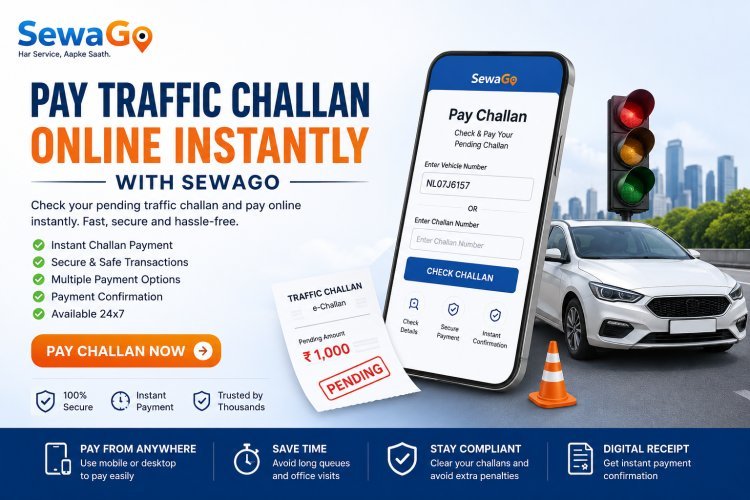
Pay Traffic Challan Online Instantly with SewaGo
Have you received a traffic challan for your vehicle?
Instead of leaving a pending challan unresolved, you can use SewaGo's online challan payment service to pay your pending traffic challan quickly and conveniently.
With SewaGo, you can access the challan payment service online and complete the payment process without having to visit a physical office just to make the payment.
What Is a Traffic Challan?
A traffic challan is a notice issued when a vehicle or driver is found violating applicable traffic rules.
Depending on the violation, a challan may be generated against the vehicle or driver.
If you have a pending challan, it is important to check the details and complete the applicable payment through the available payment process.
Why Should You Pay Your Pending Challan?
Leaving a challan unpaid may create unnecessary problems later.
Clearing your pending challan can help you:
-
Keep your vehicle-related records organised
-
Avoid leaving outstanding challans unresolved
-
Complete the applicable payment conveniently
-
Keep track of your vehicle's pending obligations
-
Reduce the hassle of visiting an office just to make a payment
If you already know that your vehicle has a pending challan, you can proceed with the online payment process through SewaGo.
Pay Your Traffic Challan Online with SewaGo
SewaGo provides a convenient online option for users who want to pay their traffic challans.
The process is designed to make challan payment simple:
Enter your details → Check the applicable challan → Proceed with payment → Complete the transaction
You can access the SewaGo challan-payment service from your phone, tablet or computer.
Pay Your Challan Now
Use the Pay Challan option on SewaGo to start the payment process.
[Pay Challan Instantly with SewaGo]
How to Pay a Traffic Challan Through SewaGo
Step 1: Open SewaGo
Visit the SewaGo website and select the Pay Challan service.
The service is designed for vehicle owners who want a convenient way to handle their pending challan payment online.
Step 2: Enter the Required Details
Enter the vehicle or challan information requested by the payment system.
Make sure the details are entered correctly before continuing.
Incorrect vehicle or challan information can prevent the correct record from being identified.
Step 3: Check Your Challan Details
Review the challan information displayed to you.
Before making a payment, check that the details correspond to your vehicle or challan.
If the information does not appear to match your vehicle, do not proceed until you have verified the details.
Step 4: Proceed With Payment
Once you have confirmed the applicable challan, proceed with the payment option provided.
Follow the instructions displayed on the payment page and complete the transaction.
Step 5: Complete the Payment
Complete the payment using the available online payment method.
Keep the transaction details or payment confirmation for your records.
Step 6: Keep Your Confirmation
After successfully completing the payment, save the confirmation or transaction information.
Keeping a payment record can be useful if you need to verify the transaction later.
Is Online Challan Payment Safe?
Online payment is convenient, but users should always make sure they are using the correct payment page and entering accurate information.
When using SewaGo:
-
Check the website address before entering information
-
Verify your vehicle or challan details
-
Review the payment amount before confirming
-
Do not share OTPs with anyone
-
Keep your payment confirmation
-
Avoid making duplicate payments if a previous transaction is still processing
What If My Challan Details Are Incorrect?
If the challan information displayed does not appear to belong to your vehicle, do not make the payment simply because a record is displayed.
First verify the vehicle number and challan details.
If you believe a challan has been issued incorrectly, follow the applicable official process for raising a dispute or seeking clarification.
SewaGo's payment service is intended to help users complete the applicable payment; it does not mean that a disputed challan is automatically cancelled or waived.
What If My Payment Fails?
Online payments can occasionally fail because of network problems, payment-gateway issues or bank-related problems.
If your payment fails:
-
Check whether the amount was actually deducted.
-
Check your bank or payment-app transaction status.
-
Keep the transaction reference if available.
-
Avoid immediately making another payment if the first transaction is still processing.
-
Check the payment status before attempting another transaction.
If money was deducted but the payment status has not updated, allow the transaction to be processed before making a duplicate payment.
What If Money Was Deducted but the Challan Payment Is Not Showing?
Do not immediately make another payment.
First check your bank or payment-app transaction status and retain the transaction reference.
If the payment remains unresolved, use the appropriate support or transaction-verification process.
Always keep proof of payment until the transaction has been successfully confirmed.
Can I Pay a Challan From My Mobile Phone?
Yes, SewaGo's online service can be accessed using a smartphone.
This means you can start the challan-payment process without needing a computer.
All you need is an internet-connected device and the information required by the payment service.
Why Use SewaGo for Challan Payment?
SewaGo is designed to make vehicle-related services more convenient.
With the Pay Challan service, users can:
-
Access the service online
-
Start the payment process from anywhere
-
Avoid unnecessary visits for making a payment
-
Quickly access the challan-payment option
-
Complete the applicable payment online
-
Keep their transaction information for future reference
SewaGo brings multiple vehicle-related services together in one platform, making it easier for vehicle owners to manage routine vehicle requirements.
Don't Leave Your Challan Pending
If you know that your vehicle has an outstanding challan, there is no reason to keep postponing the payment.
Use SewaGo's online Pay Challan service to check the applicable details and complete the payment conveniently.
Ready to Clear Your Pending Challan?
Pay your challan online with SewaGo and complete the applicable payment quickly and conveniently.
[Pay Challan Instantly]
Traffic Challan Payment: Important Things to Remember
Before completing a challan payment, remember these points:
Verify Your Vehicle Number
Make sure the vehicle number you enter is correct.
Check the Challan Details
Review the challan information before making the payment.
Check the Amount
Confirm the amount displayed before completing the transaction.
Save Payment Proof
Keep your payment receipt, confirmation or transaction reference.
Don't Share Your OTP
Never share your OTP, PIN, password or banking credentials with another person.
Avoid Duplicate Payments
If a payment is processing, check its status before attempting another payment.
Common Questions About Online Challan Payment
Can I pay my traffic challan online?
Yes. SewaGo provides an online Pay Challan service through which users can proceed with applicable challan payments.
How can I pay my challan through SewaGo?
Open SewaGo, select Pay Challan, enter the requested information, review the challan details and proceed with the online payment.
Can I pay a pending challan from my phone?
Yes. SewaGo's online service can be accessed from a smartphone with an internet connection.
Do I need to visit an office to make the payment?
For applicable online challans, you can use the online payment facility rather than visiting an office simply to make the payment.
However, certain disputes, special cases or enforcement-related matters may require following the applicable official procedure.
What should I do after paying my challan?
Keep the payment confirmation or transaction reference for your records and verify the payment status when necessary.
What if my challan information is incorrect?
Do not make a payment until you have verified the information. If you believe the challan is incorrect, follow the applicable official procedure for clarification or dispute.
What if my payment fails?
Check your bank or payment-app transaction status first. If money was deducted, keep the transaction reference and avoid making a duplicate payment until the first transaction's status is clear.
Can SewaGo cancel or waive my traffic challan?
No. SewaGo's service is for facilitating the applicable challan-payment process. Cancellation, waiver or dispute decisions are handled through the relevant authorities and applicable procedures.
Is SewaGo only for challan payments?
No. SewaGo provides multiple vehicle-related services, including PUC, insurance, permit, tax, fitness, RC and driving-licence-related services.
Manage Your Vehicle Services With SewaGo
Vehicle owners often have several different requirements to manage, from pollution certificates and insurance to tax, permits, fitness and RC-related services.
SewaGo brings these services together to make vehicle-service management more convenient.
If you have a pending traffic challan, you can use the Pay Challan service to start the online payment process.
Pay your challan online with SewaGo today.
Final Thoughts
A pending traffic challan should not be ignored.
With SewaGo's online Pay Challan service, vehicle owners can access the payment process conveniently from their phone or computer.
Enter the required information, review the applicable challan details, complete the payment and keep the transaction confirmation for your records.
For any dispute, cancellation, waiver or enforcement-related matter, users should follow the applicable official process.
Need to pay your challan? Start with SewaGo's Pay Challan service.
What's Your Reaction?